 Free and open source · macOS 26 or later
Talk to your Mac.
Relay does the rest.
A menu bar assistant that opens apps, writes notes and reminders, reads your calendar, clicks through interfaces and drives Firefox. It also types what you say into any app, with dictation that never leaves your Mac.
Everything you say, done
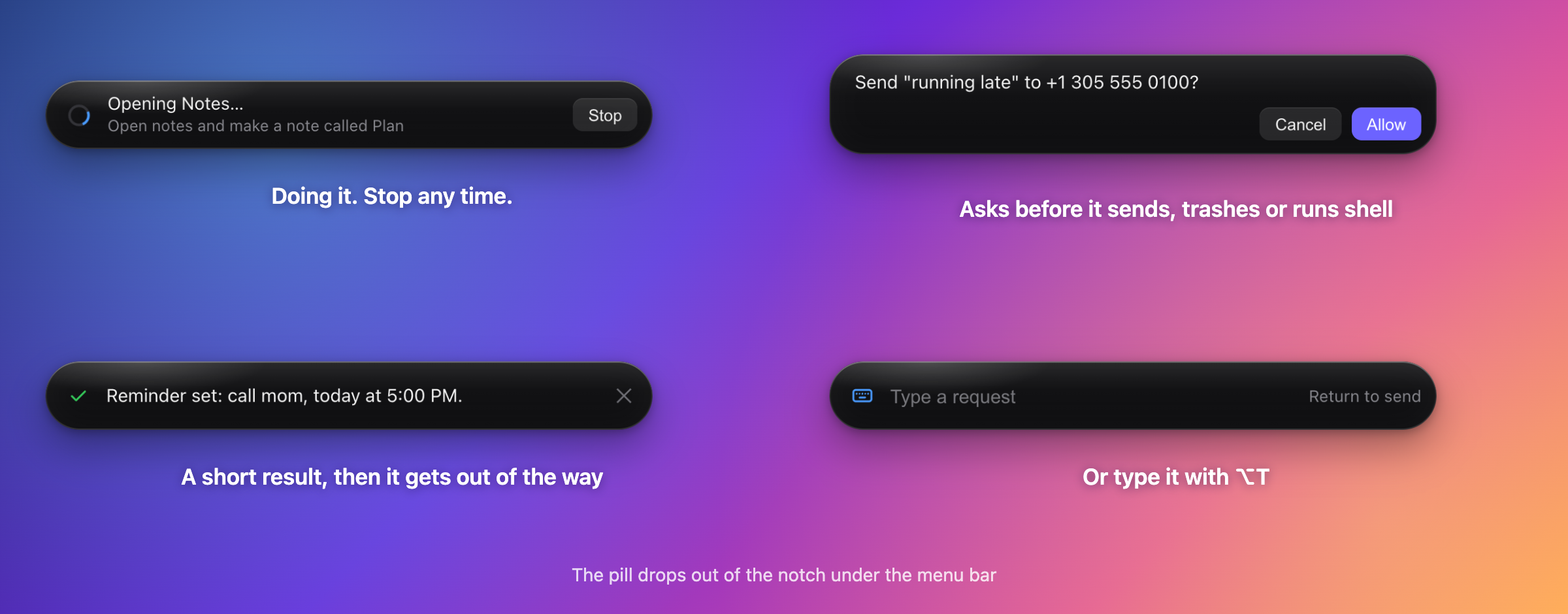
Hold a key, talk, let go. Relay figures out whether it is a quick command or something that needs a model, then does it.
Ask with your voice
Tap or hold Right ⌥, say what you want, and a pill drops out of the notch with a short result. Prefer typing? ⌥T.
Dictate anywhere
Hold Right ⌘ and your words are typed where your cursor is. Spoken "new line", "scratch that", word fixes and per-app styles included.
Instant commands
Timers, music, volume, brightness, dark mode, notes, reminders, open apps and sites. About a third of a second, no model call, and "undo that" works.
Acts in your apps
Notes, Reminders, Calendar, Messages, Finder, the clipboard, screen and accessibility tree, plus an optional Firefox extension for tabs and pages.
Asks before it acts
Anything that sends a message, trashes a file, runs a shell command or looks destructive shows an Allow or Cancel card first.
Private by design
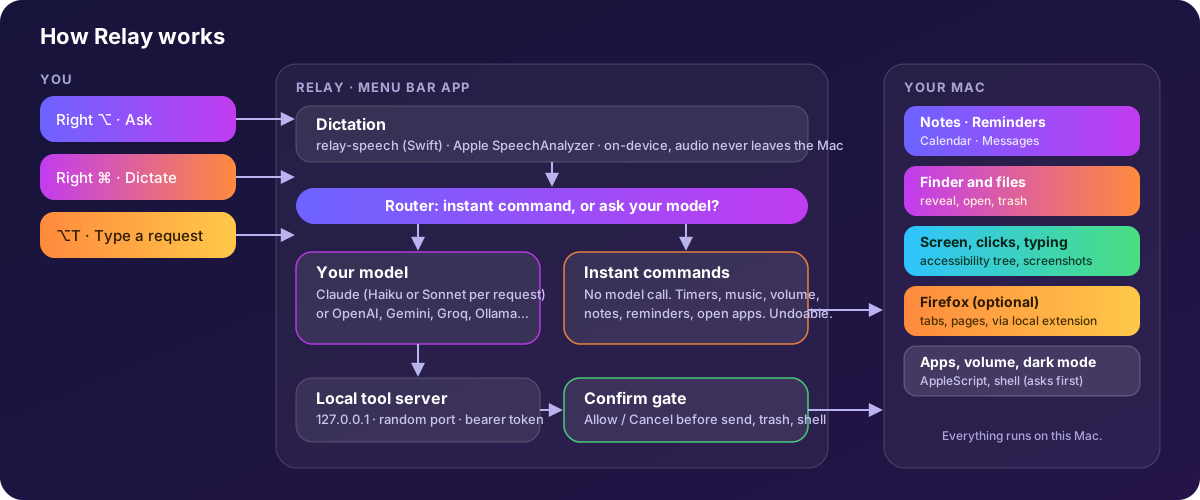
Speech is turned into words on your Mac by Apple's on-device recognition. Only the words go to the model, and only when you ask Relay to do something.
See it in action
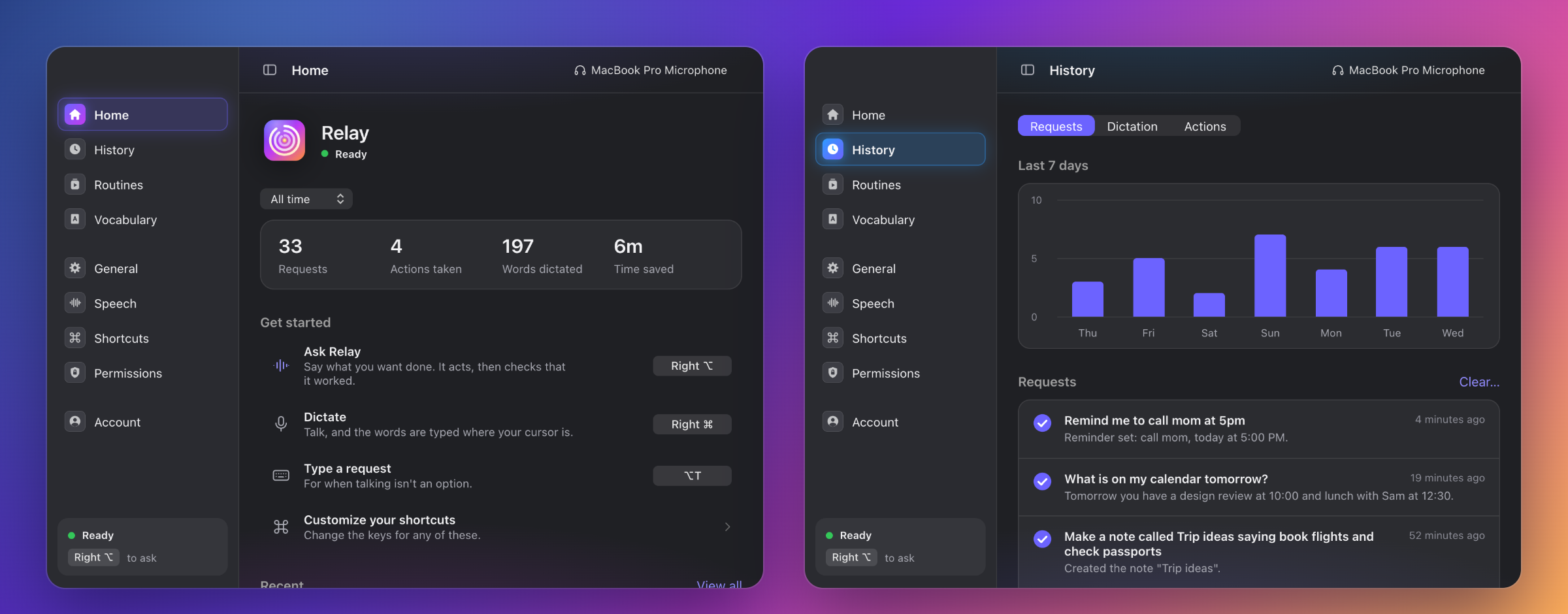
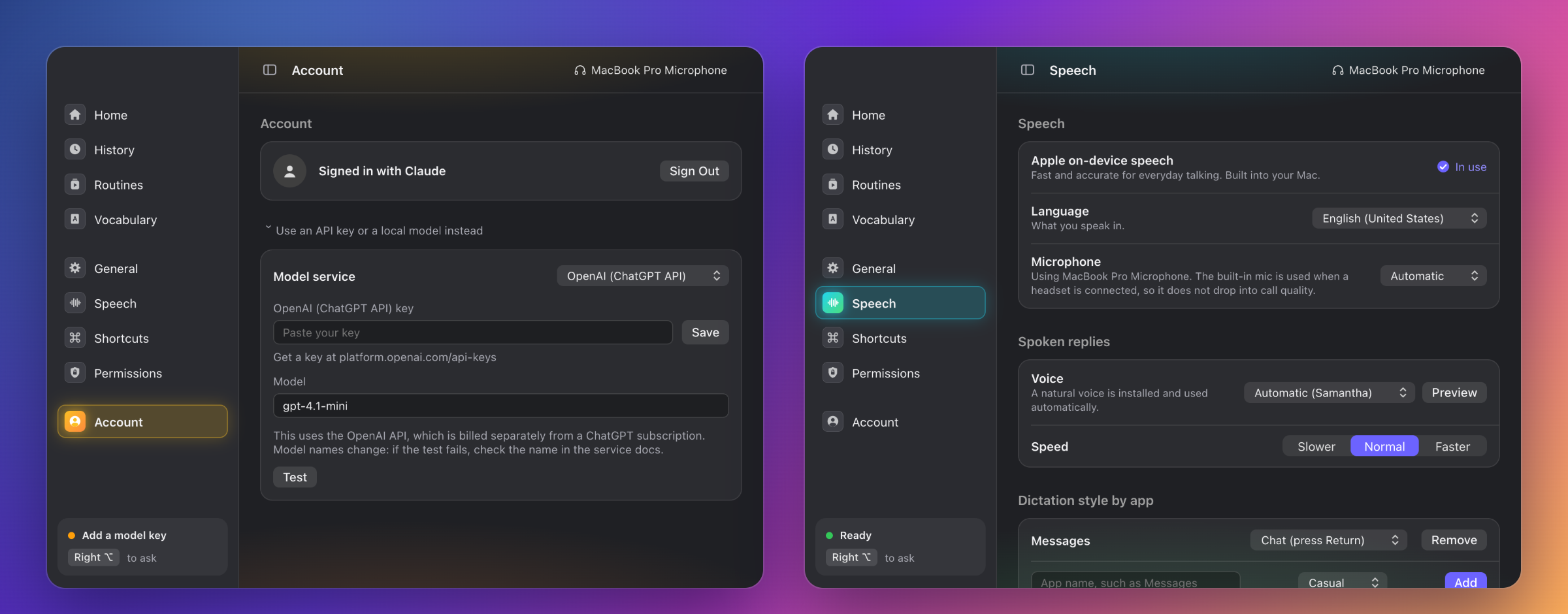
The real interface, shown with sample data. The sidebar collapses to the left to give a page the whole window.
How it works
Your voice stays on your Mac until there is something for a model to do.
Bring your own brain
Relay is free. Pick how it thinks. You never pay Relay anything.
Your own API key Recommended
Anthropic, OpenAI (the ChatGPT API), Google Gemini, Groq, Mistral, xAI Grok, DeepSeek, or any OpenAI-compatible address. Paste a key once; it is stored encrypted with your Keychain. You pay the service for what you use, and there is a Test button to check it.
Ollama Free and local
Run a model on your own Mac. Nothing leaves your machine. Pick one with tool support, and a vision model if you want screenshots.
Your own Claude Code Unsupported
Relay can also run a Claude Code you have signed in to yourself. It is included but unsupported: Anthropic does not allow apps to offer Claude.ai login or use a plan on behalf of other people, so use it at your own risk. The two options on the left are the supported ones.
Built in the open
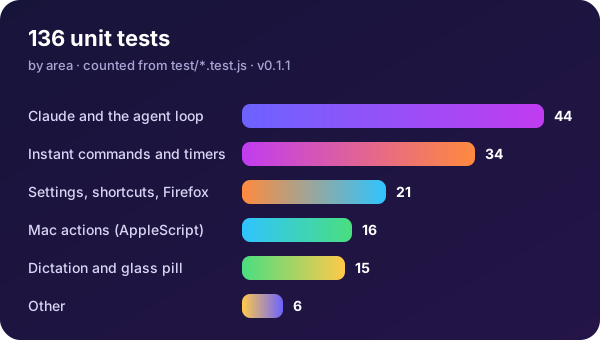
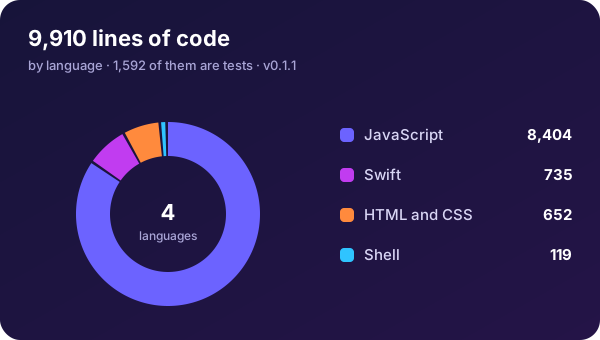
The numbers below are drawn from the repository itself.
Get Relay
Needs macOS 26 or later. Apple Silicon (arm64) and Intel (x64) builds are on every release.
.dmg for your Mac from the latest release and drag Relay to Applications.Right ⌥ and talk.xattr -dr com.apple.quarantine /Applications/Relay.app # if macOS still refuses to open itQuestions
Is Relay really free?
Yes. It is open source under the MIT license. The only cost is whatever your chosen model service charges: an API key bills per use, and Ollama runs locally for free.
Does my voice leave my Mac?
No. Dictation uses Apple's on-device speech recognition. Only the resulting words are sent to the model you picked, and only when you ask Relay to do something.
Can I use my Claude or ChatGPT subscription?
Not as a supported feature. Anthropic does not allow third-party apps to offer Claude.ai login or to route requests through someone's Pro or Max plan, and OpenAI only allows ChatGPT plan use in apps it has approved. Relay's supported options are API keys and local models; the OpenAI API is billed separately from ChatGPT Plus. Relay does include an unsupported path that runs a Claude Code you have signed in to yourself. It may stop working and is used at your own risk; please read the note in the README.
Why does macOS warn me when I open it?
Relay is not notarized by Apple, which needs a paid developer account. Right-click it and choose Open, or run the xattr command above. You can also read and build the source yourself.
Does it work on Windows, Linux or older Macs?
No. Dictation and the glass pill use macOS 26 features, and the actions are built on AppleScript and Accessibility, so Relay is Mac only for now.
Is it affiliated with Anthropic, Talkify or Octaflow?
No. Relay is an independent project. It began as a companion for Talkify, and its window follows Octaflow's layout with original code, name and icon.
Something did not work. What do I do?
Open History, then Actions. It lists every step Relay took and any error. Then open an issue with what it shows.
Try it. It is yours to change.
Star the repo, read the code, send a fix.