Everything you reach for, tucked into your notch.
Tuckr turns the space your Mac was wasting into a small control center: your music and day, your AI coding agents, the message that just arrived, a file you want to share or shrink. Point at it and it opens. Move away and it's gone.
macOS 26 or later · Apple silicon · Free and open source (GPL-3.0) · No telemetry
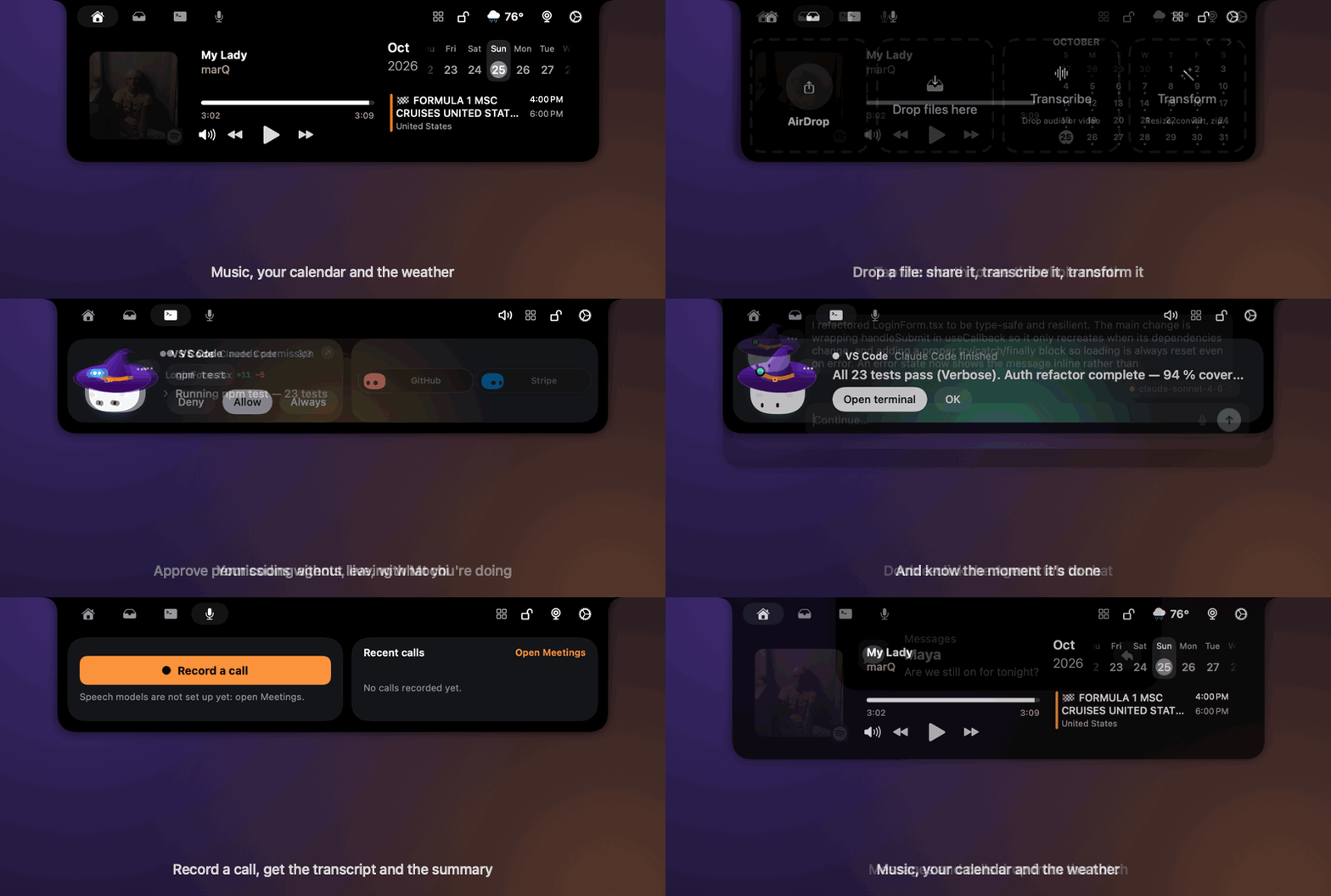
One notch. A lot of useful.
Everything lives in four tabs and a few popups, and gets out of the way when you don't need it.
Home
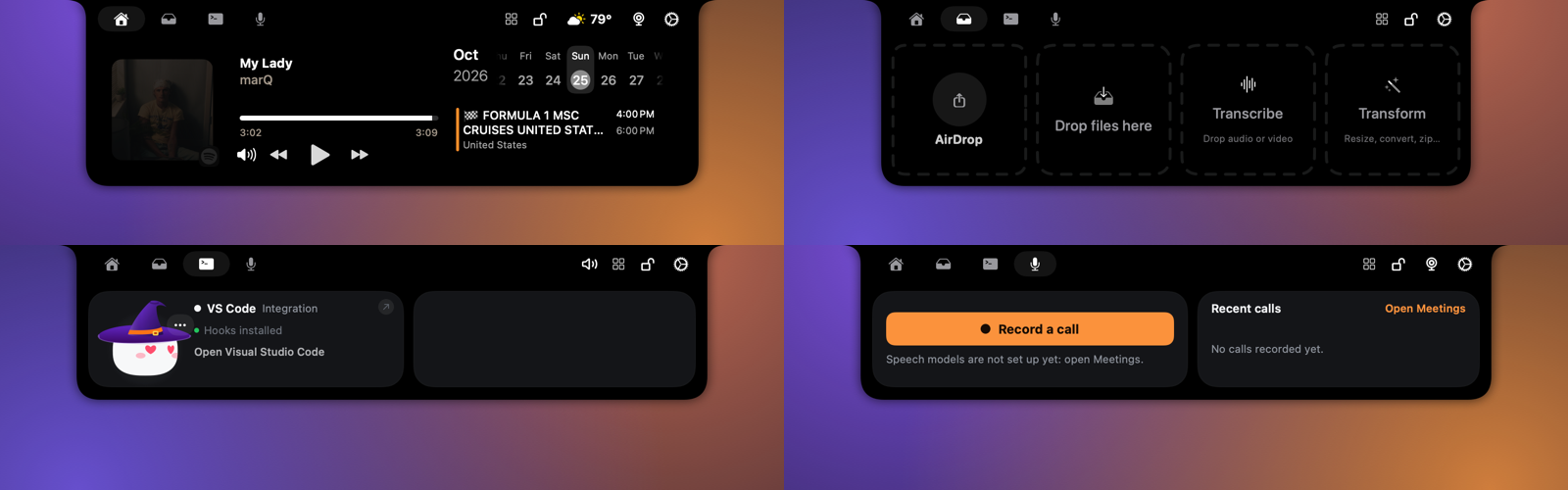
What's playing with controls, your calendar (tap the month to see the whole month, with a mark under each busy day) and the weather.
Shelf and Transform
Drag a file at the notch to AirDrop it, keep it, transcribe it, or Transform it: resize, compress, convert, rotate, cut out the background, strip metadata, make a PDF, zip.
Coding agents
Claude Code, Codex, Gemini CLI, Cursor and more, live. Approve or deny permission requests and answer questions from the notch. Mochi reacts to what happens.
Messages and calls
Popups for Messages, WhatsApp, Telegram, Slack and Mail with quick reply and voice playback. Answer or decline FaceTime, phone and WhatsApp calls.
Dictation and transcription
Hold a key, talk, and the words appear where you're typing. Drop an audio or video file to transcribe it, in Russian and 24 other languages.
Meetings
One press records your mic and what your Mac plays, transcribes it on your Mac and writes the summary and to-dos, with no bot in the call.
Timer, Notes, Teleprompter
A timer that follows you, your Apple Notes, and a teleprompter you can scroll while it runs.
Live popups
AirPods and their battery, finished downloads, AirDrop received, Focus on or off, your next event: each drops from the notch for a moment.
Made to stay private
No account, no telemetry. Messages are read on your Mac and never saved. Keys live in the macOS Keychain. Updates are signed.
See each tab
Home, Shelf, Agents and Meetings.
Nothing leaves your Mac
Tuckr reads a lot of what you see, so it is built to keep it to itself.
What it does
- Reads notifications and messages on your Mac, read-only, and shows them in the notch. Nothing is saved.
- Transcribes speech and recorded calls with on-device models.
- Keeps API keys in the macOS Keychain, this device only.
- Has no account and no telemetry. The author gets nothing from your Mac.
- Checks for updates through Sparkle, and refuses any update or update list that is not signed with the author's key.
What it asks for, and why
- Accessibility: swap macOS's banner for the notch popup, and calls.
- Full Disk Access: read macOS's notification list.
- Microphone, Input Monitoring: dictation and call notes.
- Calendar, Bluetooth: your day and AirPods.
A welcome screen explains each one and you can skip any.
Install in a minute
Tuckr is in beta, so it is not notarized by Apple yet. The first launch needs one extra click.
- Download the DMG from the latest release.
- Drag Tuckr into Applications.
- Right-click Tuckr, choose Open, then Open. If macOS still refuses, run
xattr -dr com.apple.quarantine /Applications/Tuckr.appin Terminal. - Follow the welcome screen. After that, updates arrive by themselves.
Or build it yourself
You need macOS 26 and Xcode.
git clone https://github.com/serjdmitri/Tuckr.gitcd Tuckr && scripts/install.sh
Questions
Is it free?
Yes. Tuckr is free and open source under the GPL-3.0 licence. There is no account, no subscription and no ads.
Does my Mac need a notch?
It's made for the notch, but it also works on Macs and displays without one, as a small floating bar at the top of the screen.
Which Macs does it run on?
Macs with Apple silicon, on macOS 26 or later. The speech models run on the Neural Engine.
Does it send my messages or data anywhere?
No. Messages are read on your Mac and shown in the notch, and nothing is saved. The only network requests are the weather, the update check, lyrics if you turn them on, and any AI accounts you add yourself.
Why does macOS warn me the first time?
The beta is not notarized by Apple, which needs a paid developer account. Right-click the app and choose Open once; after that it launches normally and updates itself.
Which coding agents does it support?
Claude Code, Codex, Gemini CLI, Cursor and other tools that can call a hook. Tuckr shows their progress, and you can approve their permission requests from the notch.
Can I change or reuse the code?
Yes. The whole app is GPL-3.0, and the files written for Tuckr are also available under the MIT licence. Everything it is built from is credited on the credits page.